The navigation menu is the most important element for a website, either in appearance and usability. The web menu designers are trying their best to make the menu more appealing and functional for the visitors easily find what they want. A bad navigation menu will make the visitors feel lost in the site. Here I collect some creative website navigation menus for you to find some inspirations of making your own.
Posts Tagged ‘drop down menu’
Often used on e-commerce and large scale web sites, the mega menus become more popular in modern web design. They are a great and effective way to display large amount of content on your website while you keep a nice and clean layout.
With mega menu you will be able to improve the navigation and usability on your web sites. In this article I will show you some premium CSS only mega menus and the best features that each one has to offer.
CSS3 and HTML5 Mega Menus
iNav – CSS3 Mega Menu
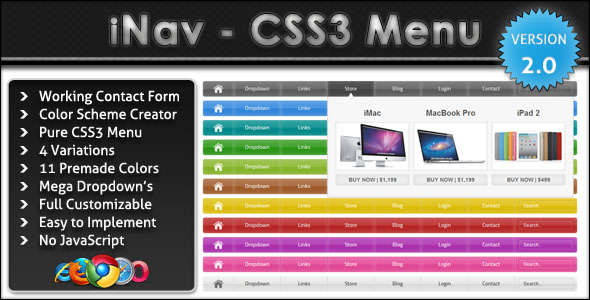
One of the most essential part of website is Navigation Menu, Navigation Menu guides visitors how to navigate, explore and interact with the other parts (web pages) of particular website, a navigation menu should be simple and easy to understand, should not conflict the mind of visitors.
SkyTechGeek explored numerous design sites and collected 21 beautiful high quality PSD files, so that users don’t need to explore hundred of Google Pages to find out an appropriate PSD file for their design, Designers and Web developers can use them in their upcoming projects and can give their websites stunning and beautiful look.
1. Simple Navigation Menu
Creating rounded corner in web design absolutely not a new thing, but with the presence of CSS3 in popular browser like Firefox, Chrome, Safari, and Opera, now is easier for us to creating rounded corner, sometimes I remember before when I need to add an image in each corner of the box, what a frustrating. Untill these day many websites still using it as a main navigation style, even in the corporate website, and some of more simple websites their menu style inspired by apple.
Mozilla Firefox
Oracle
Apple
Roxio
Real Mac Software
gOSSkype
Loop Insight
Drop-down menu (also known as pull-down menu) is an essential in most web design. It plays important role in the creation of an effective and user friendly website. It’s a good solution to trim down long menu that is overwhelming the screen space, getting them to display in a more organize category-sub category pattern.
In this article, we’d like to show you some of the best drop-down menu scripts we come to know. These drop-down menu varies from CSS only, CSS & Javascripts and menu that will work with your current Javascript library like jQuery, MooTools and Prototype. Full list after jump.
CSS (Only)
If you are worried about Javascript disabled on client’s browser, these css-only drop down menu will not fail you.
Ultimate CSS only drop-down menu
CSS Express Drop-Down Menus
Help you produce a quick (express) CSS drop-down menu without some of the limitations found in some other “pure” CSS menus.
CSS + Javascripts
With the help of Javascript, drop down menu are more interactive or at least they get some subtle animation that enhance user experience. CSS on the other hand, make sure the look and feel is easily cuztomizable.
Professional dropdown
Drop Down Tabs (5 styles)
Drop Down Tabs is a horizontal CSS tabs menu that supports a second level drop down menu for each of its tabs. Comes in 5 different styles.jQuerys
If you’ve implemented jQuery Javascript Library on your site, here are some really cool jQuery based drop down menus you should know.
Dropdown, iPod Drilldown, and Flyout styles with ARIA Support and ThemeRoller Ready
Menu system, which can be used to create a simple dropdown menu for a single list of options, a flyout menu for a smaller hierarchical list of options.
Mega Drop-Down Menu
A drop down menu that holds more than just new line of links. It also makes group links and make nagivation much easier!
(mb)Menu
Powerful jQuery component to build easily a multilevel tree menu or a contextual menu (right click) in an intuitive way.
MenuMatic
MenuMatic takes a sematic ordered or unordered list of links and uses MooTools 1.2 to turn it into a dynamic drop down menu system, with enhanced usability and flair.
Unobstrusive Mootool Drop Down Menu
Scriptaculous/Prototype
Dropdown Menu
Based on Knallgrau Unordered list. Here’s more similar drop down menu – Horizontal dropdown menu, e24TabMenu.
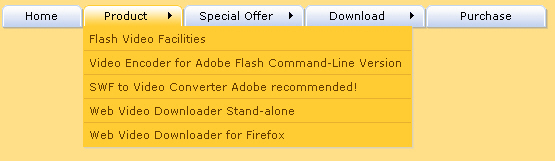
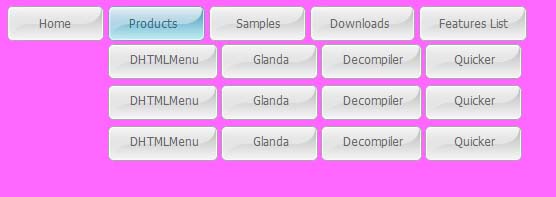
White menu refers to drop down menu which adopts white as the main color to navigate your website. As we known, white is the feasible color to match with all kinds of color, it can create wonderful visual matchable effect with other colors. Similarly, white menus are also wild navigation menu to decorate most websites of different colors. Besides color, white menus can be built in horizontal level, vertical level, tab menu, round-corner menu and multi-column. Next, let’s appreciate changable menu styles:
White menu - horizontal menu with black website
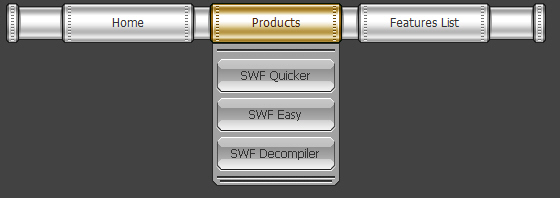
White menu - round corner menu with blue website
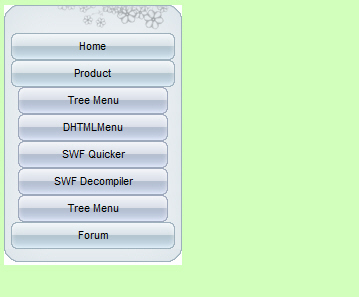
White menu - vertical menu with green website
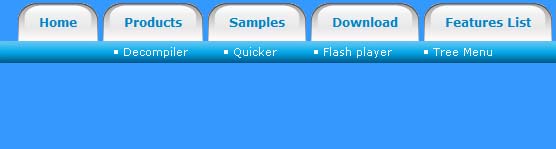
White menu - tab menu with yellow website
White menu - multi-column menu with purple website
I believe the navigation of a website should always be simple. However, if a website has many pages and sub pages, the thought of navigation simplicity goes out the window. This is where drop down menus come into play. A good and well executed drop down menu can make navigating a large site easy for the user. While drop downs make site navigation easy, sometimes they can seem difficult to implement, but the solutions listed below are all a breeze to set up, especially since most of them are built on jQuery or MooTools.
Superfish
jQuery SuckerFish Style
Smooth Navigational Menu
Animated Drop Down Menu with jQuery
droppy
Simple Drop Down Menu for jQuery
UvumiTools Dropdown Menu
MooTools Drop Down Menu
MenuMatic
Drop-Down Menu with jQuery
Simple CSS vertical menu Digg-like
Drop Down Tabs
JavaScript Dropdown Menu with Multi Levels
jQuery Multi Level CSS Menu #1
Having a clean and well-structured website navigation is key in designing an effective user interface. Drop-down menus are great for sites that have multiple levels of content hierarchy. The typical design pattern of a drop-down menu is that when a user hovers over the parent navigation item, a submenu of navigation items appea.
In this collection are many different types of drop-down menus used in websites all over the web for your navigation design inspiration.
Here are some related collections regarding site navigation that you may also be interested in:
Carreras Con Futuro
This drop-down menu’s design embodies the hand-drawn theme of the website.
Converse
Converse has a grunge-styled drop-down menu that has a cloth-like texture with frizzy edges.
Bern
This rough grunge style website has an edgy drop-down menu that complement the look-and-feel of the website’s general aesthetics.
Ski Alpine
This drop-down menu highlights the attention to detail that the site designer has.
Noizi Kidz
This navigation is bright and shaped unconventionally.
Famous Cookies
This drop-down navigation menu showcases the yummy cookies that the store makes available to its hungry patrons.
Boden
Each menu item has a different font and the drop-down menu is very clean.
Navigant Consulting
The colours used on this site work together like players of a football team.
Fall For Tennessee
Fall for Tennessee has a horizontal drop-down menu that slides out to the right hand side. The menu items that have a drop-down submenu have a small arrow next to them to indicate that they can be expanded.
Mozilla
This is a simple yet sleek drop-down menu on the Mozilla.
Usability is an essential goal of any website, and usable navigation is something every website needs. It determines where users are led and how they interact with the website. Without usable navigation, content becomes all but useless. Menus need to be simple enough for the user to understand, but also contain the elements necessary to guide the user through the website — with some creativity and good design thrown in.
Below we present over 10 excellent navigation menus — we feature CSS-based design solutions, CSS+JavaScript-based menus and Flash-designs. However, they all have something in common: they are user-friendly yet creative and perfectly fit to the style of their respective websites.
-
Nopokographics8
Vertical navigation menus are used very rarely, for the simple reason: they are harder to use. However, some designers risk unusual approaches. Nopoko Graphics uses an arrow and a hover-effect for its vertical navigation menu. -
Cosmicsoda10
This large and colorful menu is very noticeable and uses a slight hover effect to further define the menu items. -
Clearleft14
Clearleft uses a couple of paper pieces for its navigation. -
Water’s Edge Media19
Patricia Abbott uses clothespins for the navigation options. -
Jeff Sarmiento24
Why not try a sloping navigation options once in a while? -
Mac Rabbit
One more example of a large and clean menu. This one uses icons to aid the reader in recognizing each item’s function. -
DFW UPA34
Icons reinforce the menu items on this website and add emphasis to each option. -
Duarte Pires36
This menu is located close to the content, where it is easy to use. It uses large icons, which adds a visual element to the navigation. Also, the menu on other pages uses the same icons in a vertical layout, bringing consistency to the website. The icons may not fit perfectly, but it’s a nice idea. -
Eric Johansson42
Eric Johansson, a designer from Sweden, uses tall vertical blocks and images for his navigation. -
Bern45
I am a big fan of this navigation layout. I like how the menu fits in with the grunge theme. It also uses another jQuery drop-down effect.
The article is from smashingmagazine.
A website is like a magazine where people search for information. The table of contents of a magazine is like the navigation of a website. Table of contents provides an overview of your magazine, while navigation also shows on what your viewers should expect to see on your website. Both serves as pathways for your viewers on how they can explore your website.
Whenever I think of what is the most important task a web designer could do, I always end up thinking that it should be the creation of good navigation. It must be well-designed in a user-friendly manner that the moment the viewer sees it, they instantly understand how it is used and what is it for. A navigation must also be creatively done, it is one of the elements you can find on a website where you can capture a viewer’s attention.
What’s kind of menus is good for web navigation?
The less click, the better.
Viewers tend to be impatient when searching for information; they want to seek what they are searching very quickly. Make sure that your navigation responds as quickly as possible to your viewers’ instincts.
Horizontal Navigation Menu
Horizontal navigation is the widely used navigation of web designers today. Usually, the navigation bar is placed right under the header.
Good Characteristics:
1. It occupies less space
Horizontal navigation is mostly used by web designers for it occupies less space, because it is placed at the top part of the website. Then, the rest of the spaces you can use for your content.
2. More noticeable
Our eyes first notice elements of the website that are placed on the center, that is why horizontal menus are more noticeable since they are placed on the top and center part of the website.
3. Easier to use
Viewers find horizontal navigation easier to use. Comparing it to vertical navigation, you still have to move your mouse pointer on the left part of the screen (or sometimes right) to click the menus. If the navigation is horizontally placed, you just have to move your pointer upward to click a menu button.
4. Viewers are already used to it
Since it is the mostly used navigation, viewers always expect that all websites have this type of navigation.
Bad Characteristics:
1. Limited space for your menus
When using horizontal navigation, you are limited on the width space of your website and this still depends on the layout of your website.
2. Can only be used if number of menus are already known
Horizontal navigation can only be used if the number of your menus is already fixed, because the size and design depends on the number of menus to be placed.
View Horizontal Navigation Menu Samples for Inspiration: